Blog post
Publisher Release Roundup: Q4 2025 Edition

It’s hard to believe that 2026 is almost here. Looking back on past few months, Microsoft Monetize has introduced a series of updates aimed at helping publishers increase revenue opportunity and streamline their workflows to boost both yield and productivity. From enhanced AI-driven processes to forecasting capabilities, here’s a recap of what’s been released to Microsoft Monetize this quarter.
Customization options and an updated graph design added to the homepage
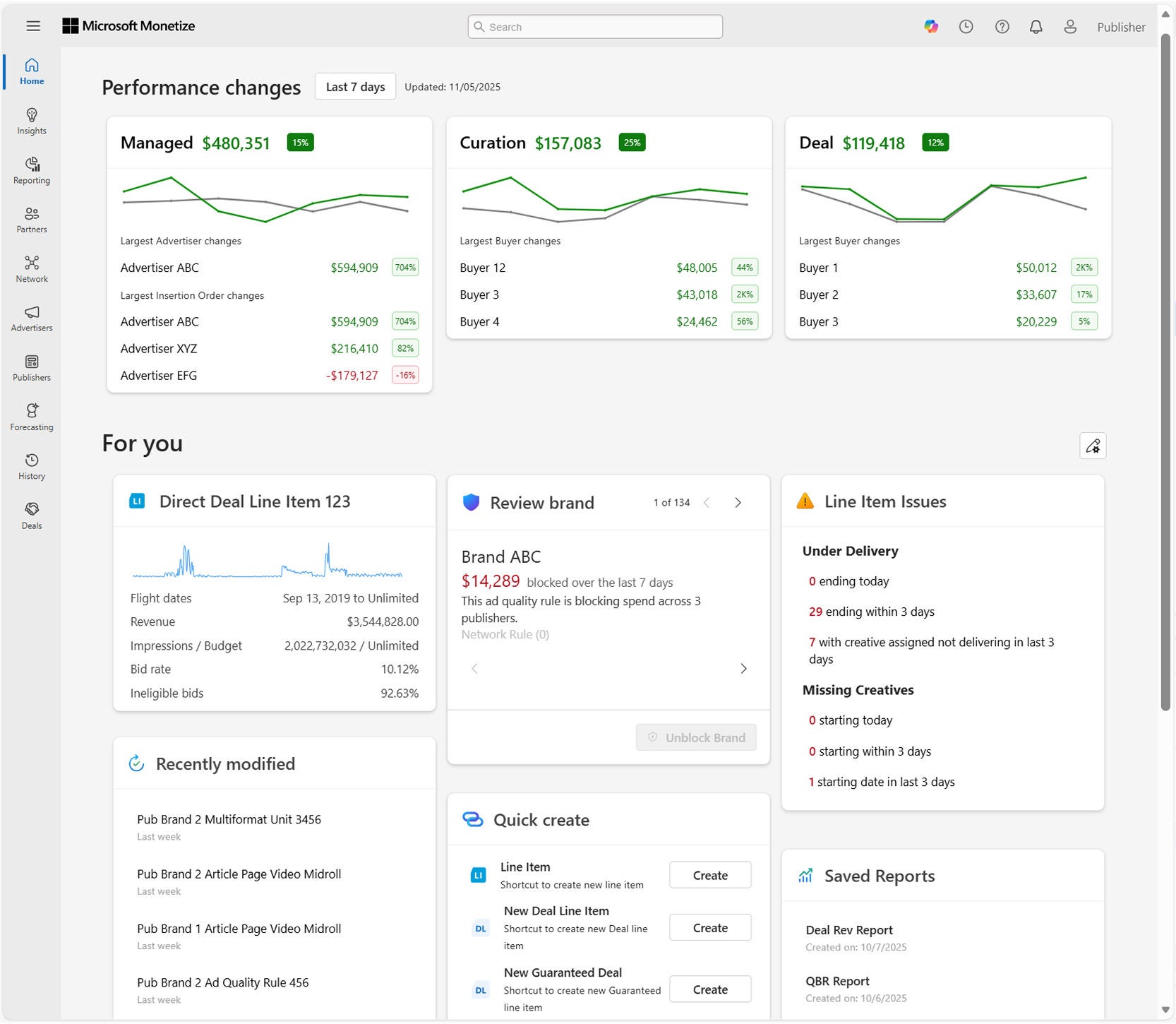
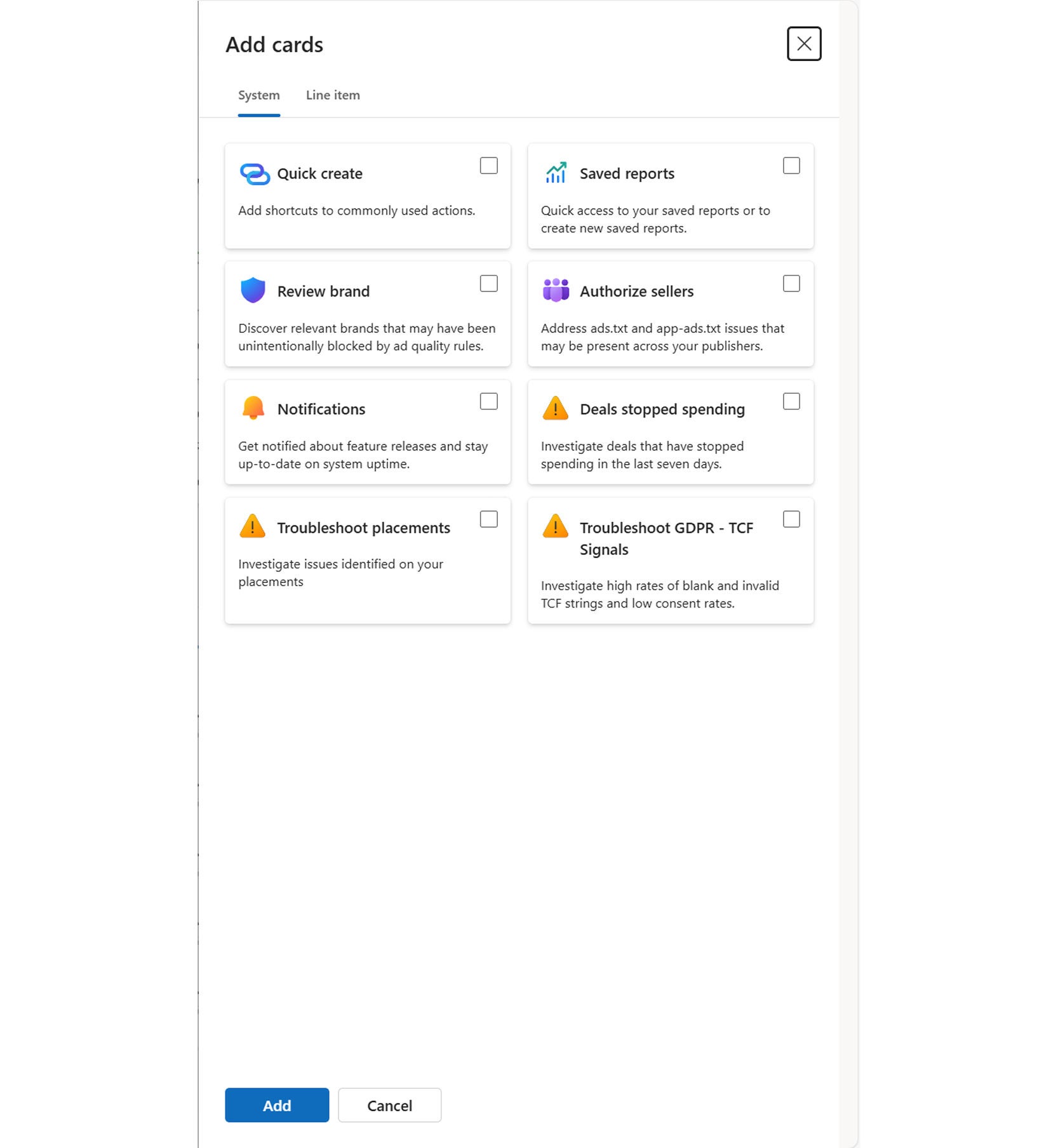
The capabilities for the Monetize Homepage have expanded, with custom options to make your homepage more relevant to you. Monetize users can now reorder homepage cards to the position they like, remove cards that are not relevant, and add a custom Line Item card to their Home view.
We have also released a Card Library, integrated the Troubleshooting insights for GDPR-TCF Signals, Deal Spend, and Placement issues, and updated performance graphs to better represent the current versus previous period.
Expanded change log support
The history change log supports additional platform objects for Ad Quality, Yield Management Floors and Payment Rules. You can now see changes for these objects in the ‘History’ on the left-hand navigation or search for these objects using the search bar in Monetize.
A new Deal management experience
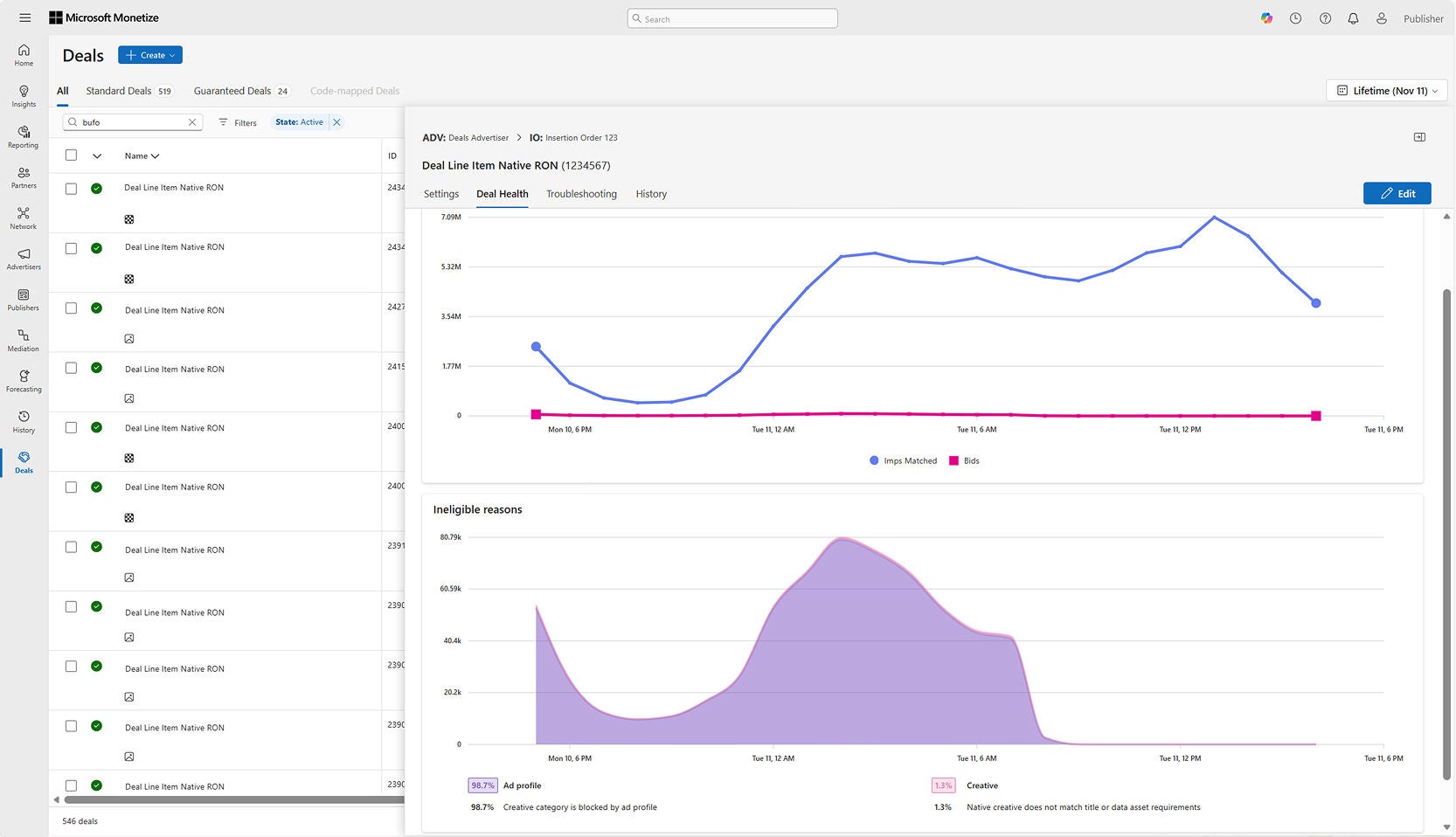
The updated Deal Screen has been rolled out to all Monetize publishers, serving as a streamlined, customizable hub to manage every deal type, from setup to troubleshooting. This experience replaces legacy screens and adding functionality for publishers creating and managing deal line items.
Deal spend opportunities via Media Marketplace
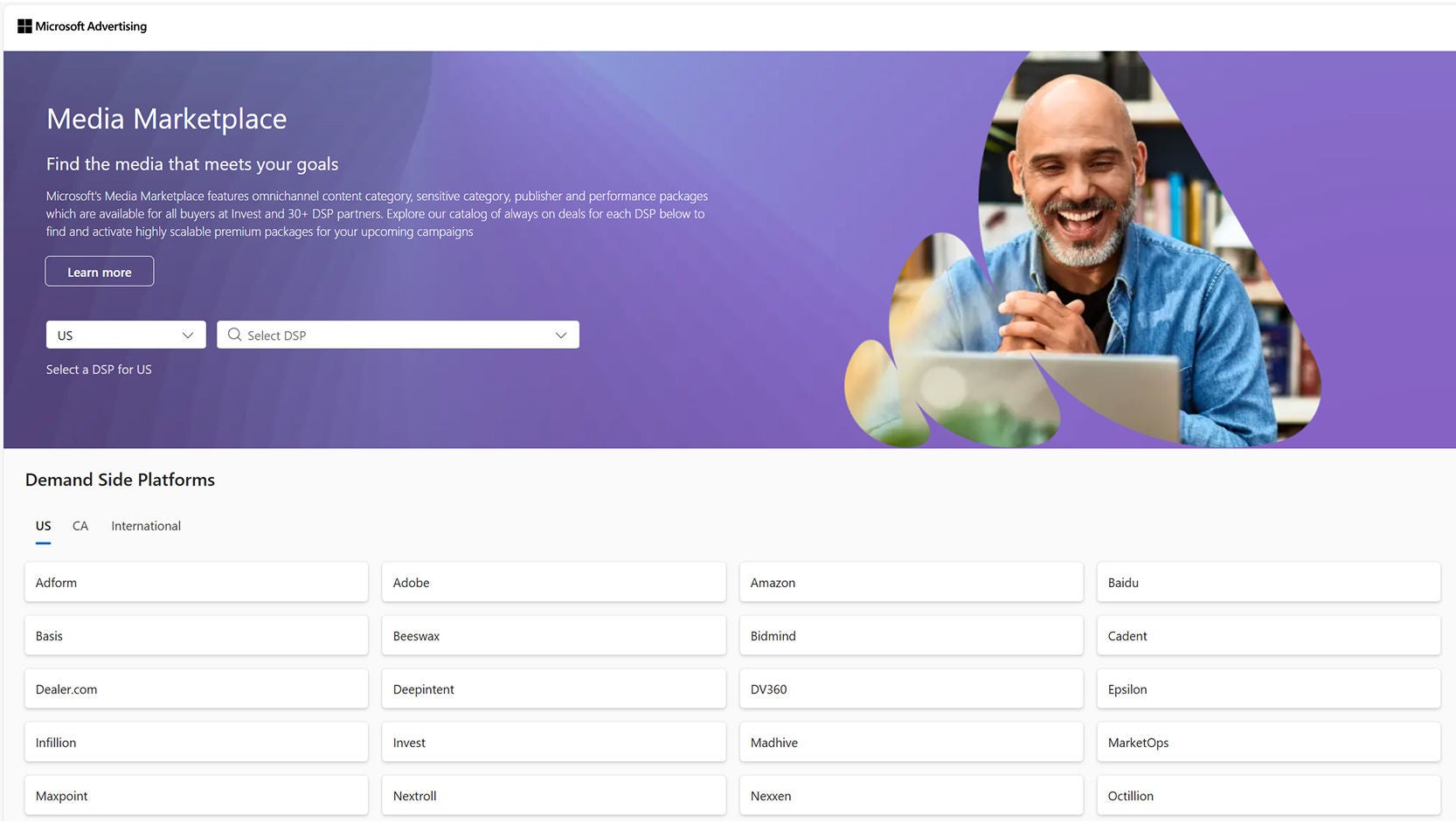
Media Marketplace is our always-on deal discovery and media planning destination for curated omnichannel deals. This self-service tool for buyers offers a streamlined path to activation across 30+ DSPs, helping them find the media that meets their needs. For publishers, Media Marketplace helps inventory cut through the noise of the open exchange.
An updated Microsoft Prebid Adapter
We have updated our Prebid adapter! The new Microsoft adapter (‘MSFT’) replaces the longstanding AppNexus adapter. This move to a standard OpenRTB-based model offers improved signal passthrough for increased spend opportunity. Include the ‘msft’ adapter in your latest download from Prebid.org today!
Native Assembly UX enhancements, adaptive rendering, & deal creation
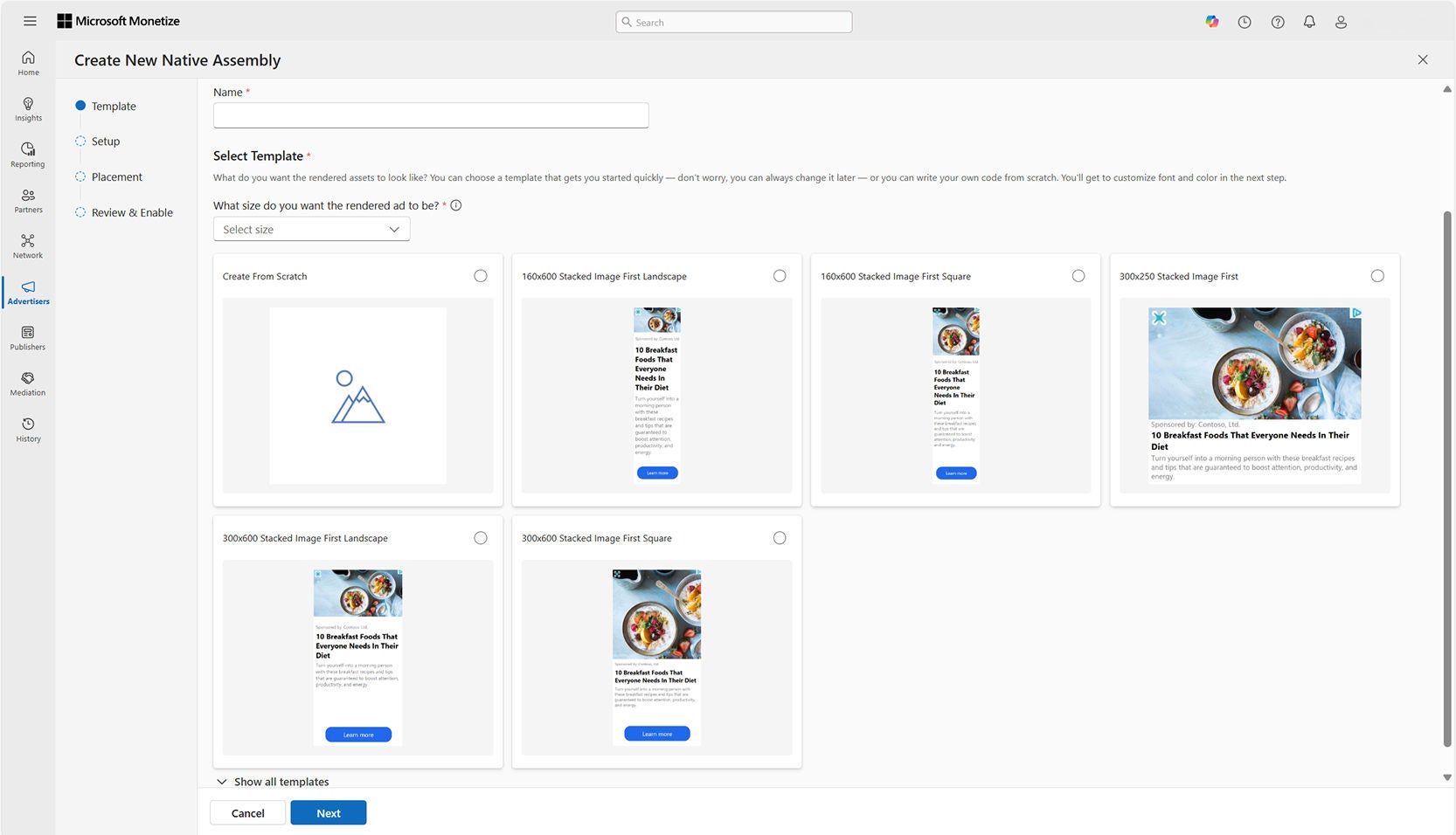
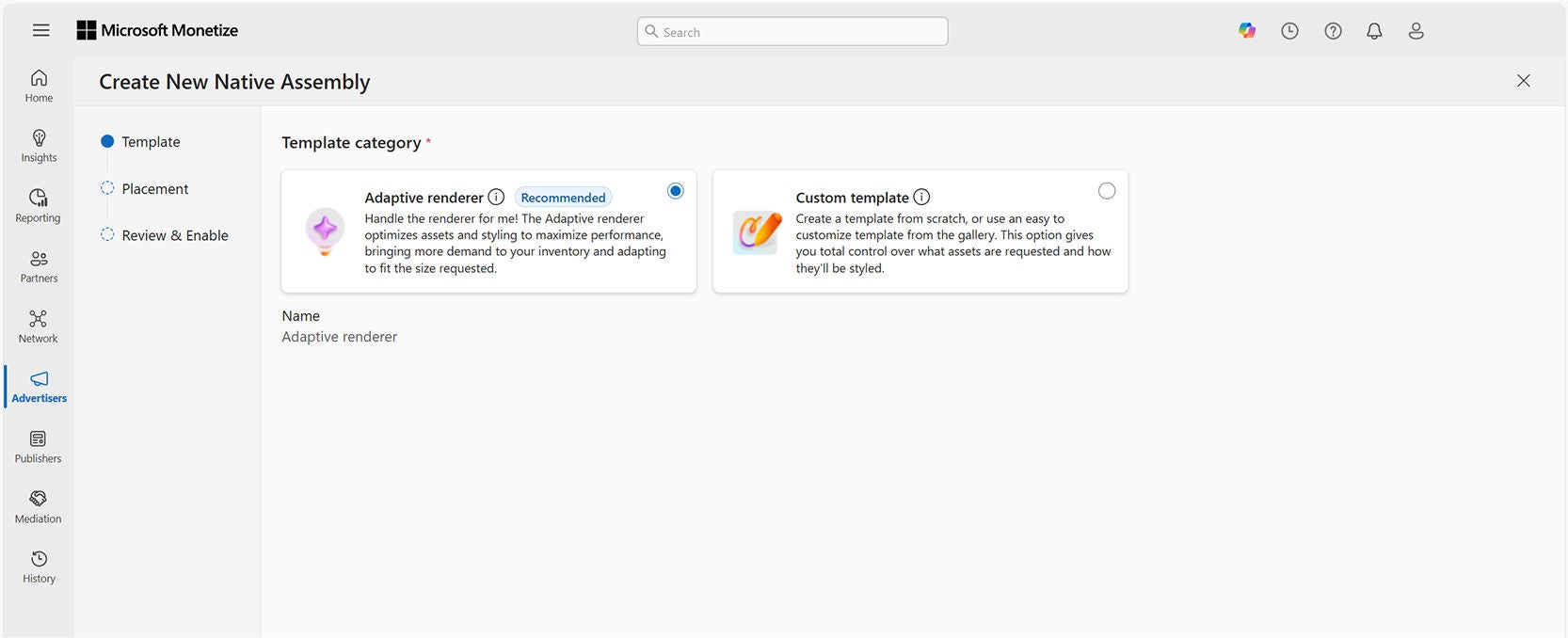
Native Assembly has been completely revamped, providing a refreshed and user-friendly interface for native ad inventory. This update focuses on minimizing effort and reducing reliance on Support teams for inventory activation.
- Streamlined, self-service control over the native experience making it easier to add and manage large placement quantities while offering enhanced workflows that let you move more quickly from implementation to activation.
- Native rendering via a hands-free adaptive renderer automatically optimizes assets and styling for performance based on the demand seen in our native marketplace.
- Native deal creation allows you to pull in all associated native placements from the deal creation form, so you can easily build deals that target specific native inventory.
A dedicated Identity Management UI
A new interface allows publishers to control which DSPs can access identity signals and manage visibility across platform members—supporting privacy and monetization goals simultaneously.
- Security and compliance. Control and verify the flow of your IDs, including who can use them and how.
- Fine grained control. Member-level access control, including requests, segment onboarding, and log-level data availability.
- Closed system. Transact the way you want, without leaking data outside the Microsoft platform.
Forecast builder for direct-sold businesses
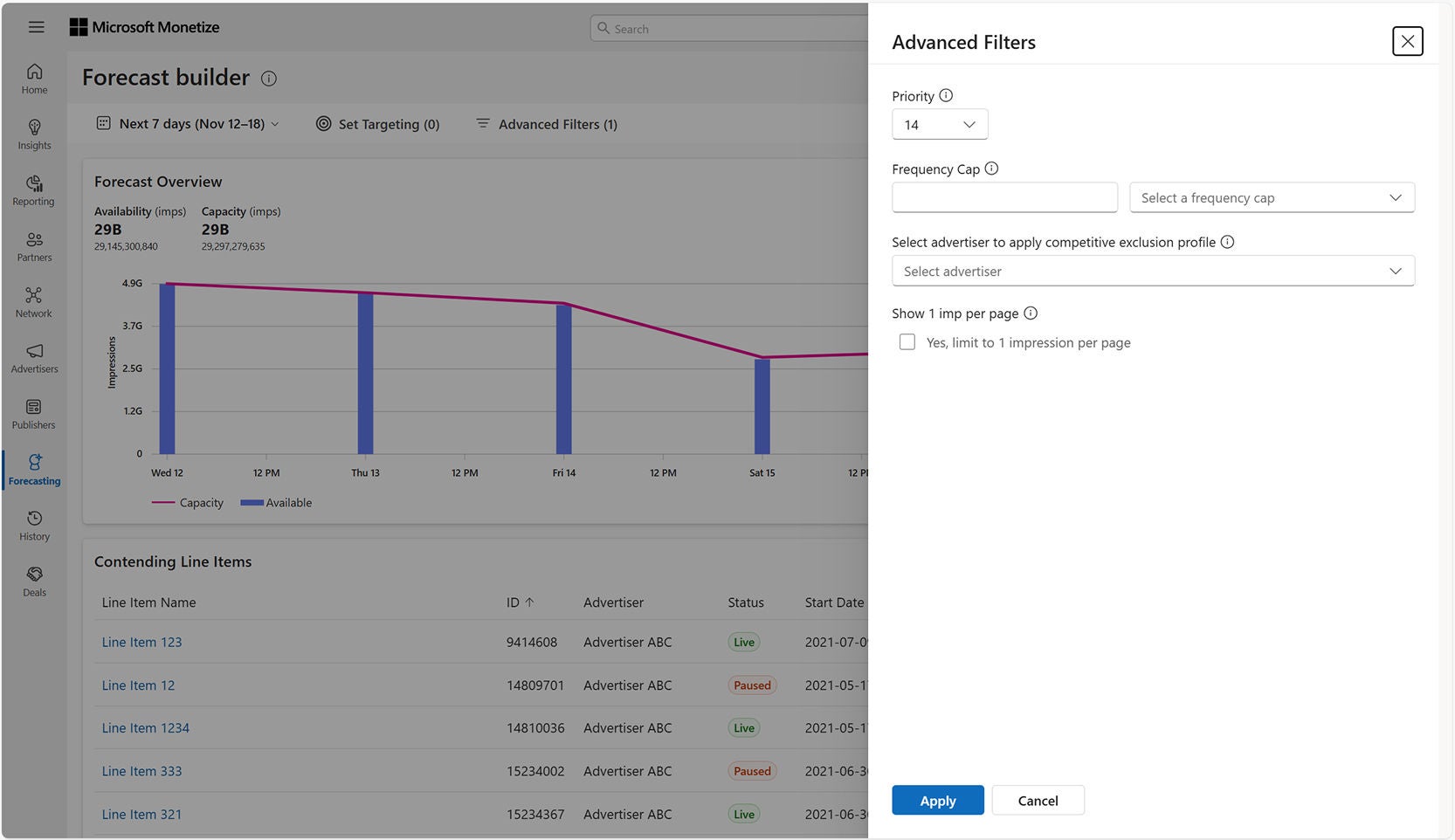
Publishers can now access a dedicated UI workflow to query and understand inventory forecasts across their supply, independent of line item setup. This tool is designed to improve planning accuracy and unlock new monetization strategies.
- Forecast earlier in the workflow. Run inventory forecasts without needing to create a line item to plan campaigns more efficiently and explore scenarios proactively.
- Understand what's available and booked. Get real-time impression availability and visibility into contending line items, to avoid overselling and adjust targeting early.
- Sophisticated forecasting expertise. Utilize our proven, non-sampled engine — now integrated directly into Monetize with advanced filters that reflect real delivery logic.
Forecast-shaped pacing: Day-of-week
Forecast-shaped pacing (FSP) now supports day-of-week distribution, using forecasted capacity to adjust daily budget allocation. Day-of-week pacing is especially helpful for publishers with recurring traffic patterns based on certain days of the week. For example, a CTV streamer who sees the majority of weekly user engagement between Thursday and Sunday.
- Improved Delivery Consistency By aligning delivery rates with forecasted inventory capacity, FSP checks that delivery aligns with actual supply patterns throughout the day and week. This results in more reliable delivery, particularly for line items that end on days with limited inventory.
An update to Inventory Manager
Enhanced placement workflows have been added to Inventory Manager, enabling publishers to efficiently onboard and manage omnichannel inventory within a unified experience.
- Easily create multiformat placements, as well as change media type configurations (i.e. from in-stream to in-article) within Monetize.
- An intuitive design surfaces fields with the most monetization impact potential at the top of the form, helping users make informed decisions faster.
Conclusion
And that’s a wrap! As we enter the busy holiday season, increased activity brings publishers the opportunity to maximize their monetization. We’re excited to continue delivering features and tools that empower our partners to capitalize on these opportunities and drive success.
Your comments and feedback are integral to shape and improve our product. If you have questions, please reach out to your Microsoft Monetize account expert or contact Support.

Your input makes us better
Take our quick 3-minute survey and help us transform your website experience.